Pilot vs. Google Docs in 2026: Which should you use?

A Google Docs itinerary is flexible and free, but a doc is a blank page. Pilot is a trip booking and planning app: the same real-time collaboration, plus a real itinerary, a map, and your stay booked in the app at private rates. Here is how they compare side by side.

Summary comparison of Pilot and Google Docs
 Pilot
Overall comparison
Trustpilot rating4.4 ⭐2.3 ⭐
Real-time collaborative editingYesEveryone edits the same trip live, like a doc, but built for travel; a Google Doc gives you the editing without the tripYes
Itinerary builderYesA real day-by-day itinerary with dates, places, and times; in a doc you build and reformat all of it by handNo
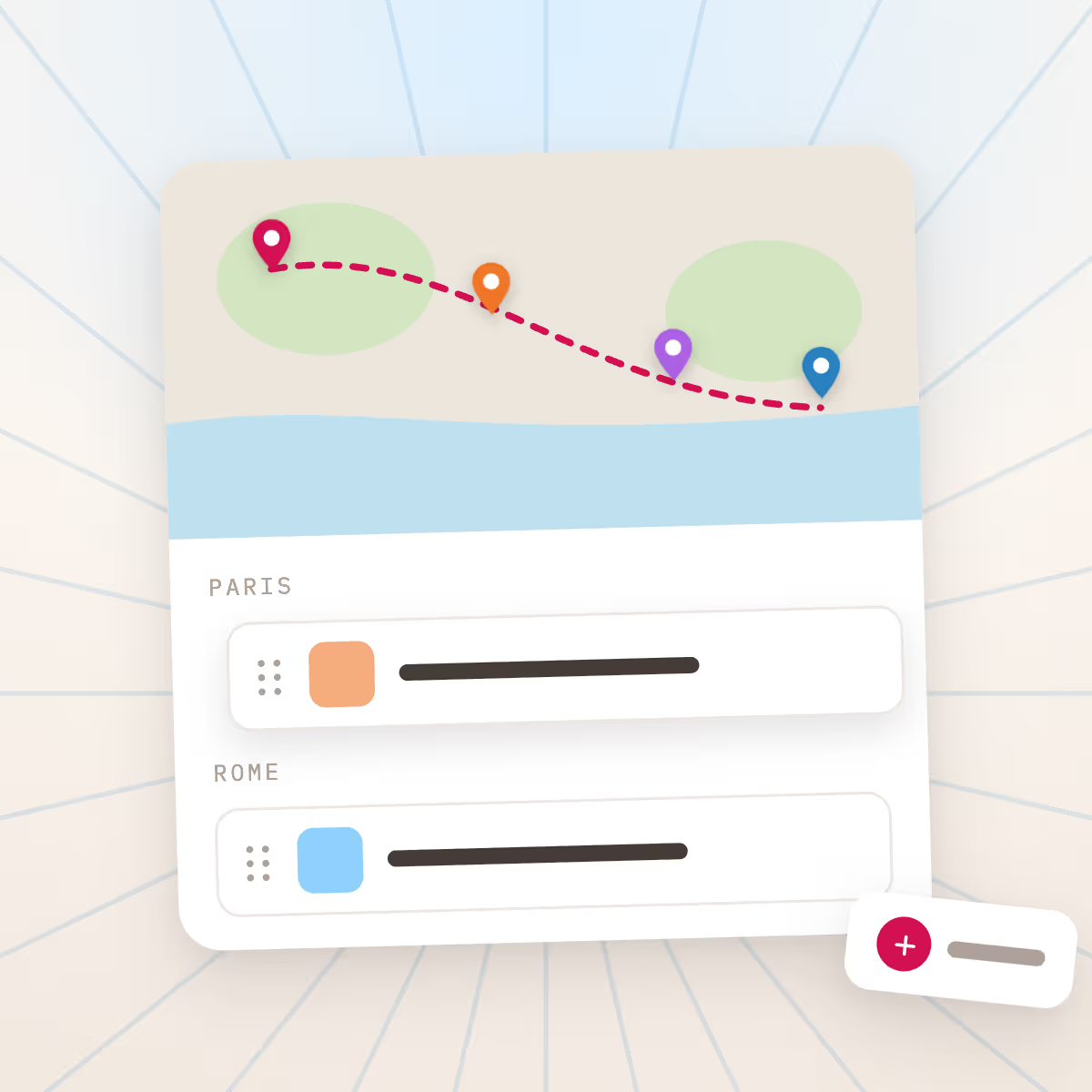
Customizable map pins and routesYesSee your stops on a map automatically; a doc has no map, so you switch to another tabNo
Things to do per cityYesFind places and activities and add them to the plan; a doc starts blankNo
Book hotels in the appYesBook your stay in the app at private rates across 3,000,000+ hotels; a doc cannot book anythingNo
Pilot leads in all 5 shown2 more in the full comparison

Rated by 50,000+ travelers

  • 4.7
  • 4.8
  • 4.2
  • 4.4

As featured in

  • TechCrunch
  • WIRED
  • Washington Post
  • Forbes
  • Yahoo Finance
  • Morningstar
  • Vancouver Tech Journal

How does Pilot compare to Google Docs?

Google Docs gives you a shared, free-form document. Pilot keeps that free, real-time collaboration and adds what a doc cannot do: a real itinerary, a map of your stops, live hotel prices, and in-app booking.

Feature comparison of Pilot and Google Docs by category
FeaturePilot
Planning and collaboration
Real-time collaborative editingYesEveryone edits the same trip live, like a doc, but built for travel; a Google Doc gives you the editing without the tripYes
Notes and checklistsYesKeep notes and checklists right alongside the itinerary, map, and booking; in a doc they sit on their ownYes
Itinerary builderYesA real day-by-day itinerary with dates, places, and times; in a doc you build and reformat all of it by handNo
Customizable map pins and routesYesSee your stops on a map automatically; a doc has no map, so you switch to another tabNo
Travel built in
Things to do per cityYesFind places and activities and add them to the plan; a doc starts blankNo
Book hotels in the appYesBook your stay in the app at private rates across 3,000,000+ hotels; a doc cannot book anythingNo
Member-only hotel ratesYesPrivate 'book early' rates straight from hotels; a doc has no prices at allNo

Why use Pilot over Google Docs

  • Reason #1

    Plan, save, and book in one place

    Plan, save, and book in one place. Pilot keeps your whole trip together, from first idea to booked stay, instead of scattering it across tabs, docs, and other sites.

    Learn more →
    Plan, save, and book in one place
  • Reason #2

    Flexible by design

    Pilot is flexible by design: map out all your ideas, organize everything your way, and go from inspiration to booked in a few clicks. Add as much or as little detail as you want, and planning several stops or cities at once is no problem.

    Learn more →
    Flexible by design
  • Reason #3

    Simple and fun, never overwhelming

    Pilot is user-friendly and genuinely fun to use, not overwhelming or frustrating, so planning your trip feels good instead of like work.

    Learn more →
    Simple and fun, never overwhelming

What do users say about Pilot (vs. Google Docs)?

Google Docs is a great document tool, not a travel product, so there is no travel-specific rating; on Trustpilot, Google as a company sits around 2.3. Pilot is built for trips and is rated 4.7 by 50,000+ travelers who plan and book the whole trip in one place.

⭐⭐⭐⭐⭐
Nice consolidation tool for travel plan, tickets, etc. Me and my daughter can share a travel plan, and add the whole itinerary, with pre-booked tickets, daily excursion plans, etc. It makes organisation of the trip incredibly easy and all information between travelers are shared
⭐⭐⭐⭐⭐
Went to Amsterdam for the first time. Loved having all the trip details located in one spot on my phone - maps, hotel, air, event tickets. I was able to to go the app and all the QR codes were right there. Also being able to share the app so we could each put in details was a great feature.
⭐⭐⭐⭐⭐
His support was wonderful. Went extra mile to support us and getting us accommodated with the hotel. Really appreciate it. 5 stars service !!
⭐⭐⭐⭐⭐
android logo
It's a great app. It has almost everything to organise a trip, travel itinerary etc. And surprisingly free. Only thing it lacks and is badly needed is Dark mode. I hope the development team include dark mode soon.
⭐⭐⭐⭐⭐
How disappointed would you be if you could no longer use Pilot?: Very Disappointed. What is the main benefit you get from Pilot?: memory making and planning
⭐⭐⭐⭐⭐
trustpilot logo
The Pilot Customer team is great. We had a minor issue with the hotel, and the Pilot team went above and beyond to make sure we were taken care of well.
⭐⭐⭐⭐⭐
I travel regularly for both work and for fun, and Pilot really helps me stay organised, ensures I don't miss anything and gives me a constant point of reference to come back to for the various details required both before and during travel. When I'm travelling with friends, being able to invite them into the trip and see all of the details that I would normally have to send to them in a god send! Apart from the practical side, the visual experience is very nice and adds a great touch to trip planning.
⭐⭐⭐⭐⭐
trustpilot logo
Great way to keep your trip organized! Helpful planning tools and easy to use!
⭐⭐⭐⭐⭐
ios logo
AI trip planner & flight deals Like notion and Google ads, perfect for planing your trip and being assisted by AI for amazing recommendations

Should you choose Pilot or Google Docs?

Choose Pilot if

  • You want travel structure out of the box, not a blank page
  • You want a map of your stops and live hotel prices, not a separate tab
  • You want to book your stay in the app at private rates
  • You want planning and booking in one place, not scattered across docs and tabs

Choose Google Docs if

  • You want a completely blank, free-form space you can structure any way you like, which a Google Doc does better than any purpose-built tool.
  • You only want a simple shared text document and do not need a map, prices, or booking.

Still deciding?

Plan a trip in Pilot for free and see how it compares for yourself.

What Pilot can do that Google Docs can't

  • Build a real day-by-day itinerary, not a blank document you format by hand
  • See your stops on a map and plan multiple cities at once
  • Find hotels and things to do, and book your stay in the app at private rates
  • Plan together with your group, live, in one shared trip

Common questions about Pilot vs. Google Docs

What is a Google Docs itinerary?

A Google Docs itinerary is a trip plan you build in a free, shared document, usually a table or day-by-day list with pasted links. Being a document tool, not a travel app, it has no map, live prices, or booking.

What is Pilot?

Pilot is a trip booking and planning app: a flexible itinerary, a map of your stops, and notes, plus your hotel booked at private rates straight from hotels. A Google Doc is a blank page; Pilot is purpose-built for trips.

Is Pilot a good alternative to planning in Google Docs?

Yes. Pilot keeps what people like about a doc, free, flexible, and collaborative in real time, and adds what a doc cannot do: a real itinerary, a map, activities to add, live prices, and your stay booked at private rates across more than 3,000,000 hotels.

Is Google Docs free?

Yes, Google Docs is free with a Google account. Pilot is also completely free, and unlike a doc it can book your stay at private rates, so the planner stays free and you get booking too.

Can you book a hotel in Google Docs?

No, a document cannot book anything or show live prices; you paste in confirmations after booking elsewhere. Pilot books your stay at private rates straight from hotels across more than 3,000,000 hotels, so the booking lives with the plan.

Pilot vs Google Docs: which should I use?

Use a Google Doc if you want a totally blank, free-form space and nothing more. Use Pilot if you want the same free, real-time collaboration plus travel structure, a map, live prices, and in-app booking, all in one place.

Plan your next trip with Pilot

Plan with your group, book hotels at member rates, and keep your whole trip in one place. Completely free.

Last updated: 
June 11, 2026