
Free Road Trip Planner and Route Planner for Scenic Multi-Stop Itineraries
Avoid wasting half your road trip deciding what’s “on the way.”
Plan and book amazing places and fascinating detours together, before you drive, for a trip with fewer hiccups.


As Featured In











The travel planning and booking app for road trips
After 10min, 60% of travelers say they’d be "very disappointed" to go back to their old way.


Used by 50,000+ travelers
"Used this to plan a road trip for my husband and I. I only wish we were headed on another trip sooner, so I could keep using this day to day! Already recommended this to friends and family.
- Stace M. 25-36, United States



International Roadtrips

Cross-Country Adventure

VanLife Trips

National Parks Loop

Scenic Drives
Plan the most scenic paths with the best stops and least delays


Figure out the best routes to take
Use the itinerary generator with prompts and 60+ filters to map out a different road-trip routes and stop ideas
Save potential stops and stays into a saved list, so you can compare route options side by side before you commit.
Auto populate locations with all relevant details after entering just a few characters
Rearrange stops in the planner to test different paths, and quickly see which order makes for the best drive







Plan stops and lay out the drive in legs
Build the trip day by day or any other way in the planner, so each drive leg has clear start, stop, and timing.
Use the map to check distances between stops and keep each leg realistic.
Attach key info right where it will be used: parking notes, check-in instructions, arrive-before-dark reminders.




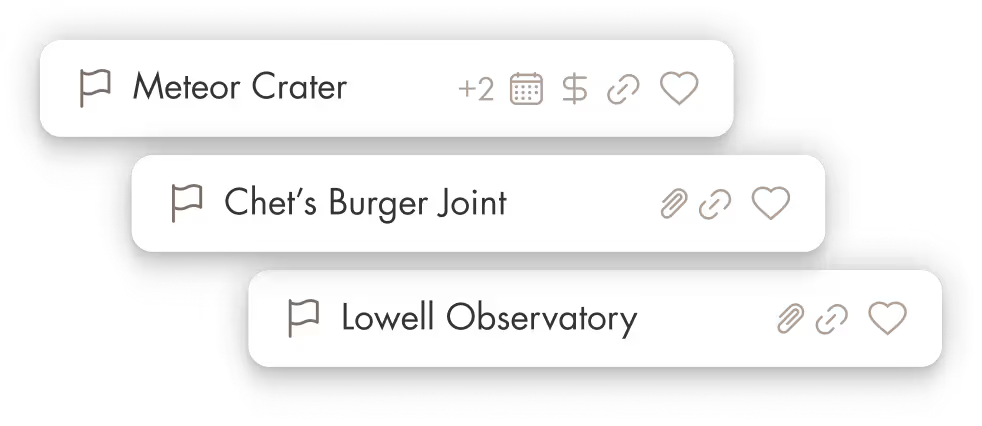

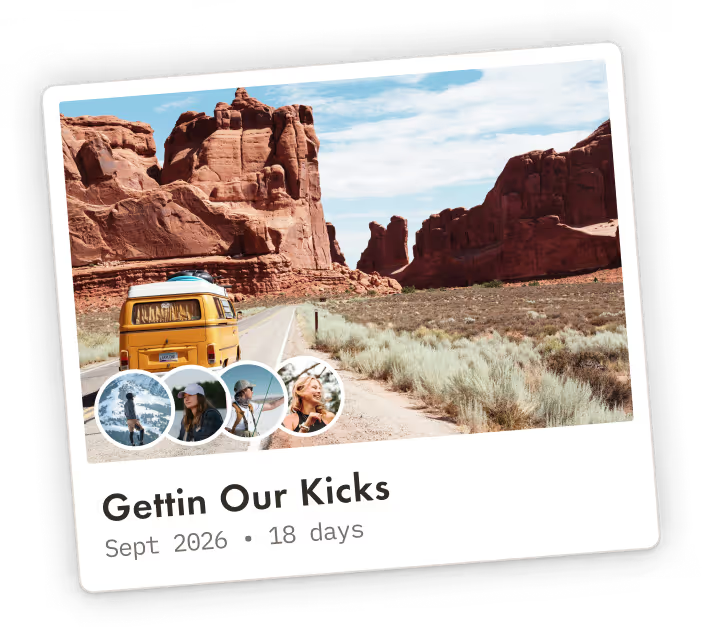

Book rests and keep everything organized
Book your overnight stays in Pilot with private rates that are usually reserved for travel agents, so your rest stops are locked in early.
Import confirmations so addresses, check-in details, and receipts are saved with the trip.
Access your plan offline or export a PDF for no-service stretches so the plan still works.





Your

to inspired adventures
Stay in control, avoid wrong turns, and make sure you make memories you’ll be talking about for years
Pay what you want
Even nothing, with optional premium add-ons and services.
Save on +3.2mil hotels
Direct bookings partnerships so you avoid fees and book with illustrious rates reserved for travel agents.
Offline access
Export trips in impressive Futura font. Plus low battery drain for when away from wifi or power.
Luxuriously easy
Without hidden fees or pressure to book. Like Notion for travel. Start a trip plan in just 5 minutes.
Actually good support
It might feel like flirting, but it's actually real humans who stick with you plus quick AI answers. No call centers.



Frequently Asked Questions
Is there a free app to plan a road trip?
Yes. If you want a place to map out your route, save stops, and keep your whole plan organized, a free road trip planner can absolutely do that. With Pilot, you can build a real itinerary (not just a list of pins): add destinations and stops, drag things into the right day, keep notes and packing lists, and store your bookings and screenshots so you are not digging through email mid drive. You can also share the trip so everyone is looking at the same “source of truth” and not arguing in a group chat.
Is Pilot free for road trip planning, or is it a subscription? What is locked behind a paywall?
Pilot is free to use, and we do not lock core planning features behind a paywall. Nothing is paywalled and people pay only if they choose to. How we make money: optional premium add-ons and paid services (for example retreats, group trip support, and other offerings). That keeps the planner free while we keep shipping improvements. For comparison: older more established “road trip specific” tools are free to start but gate features behind subscriptions, unlike Pilot.
Is Pilot available on iOS and Android?
Yes. Pilot is available on iOS and Android, and it is designed to complement the desktop experience. Please note that functionality on mobile is more limited than the full desktop planning experience.
Can Pilot plan a multi-stop, multi-state road trip itinerary?
Yes. Multi stop planning is where road trips get messy fast, so the key is having a tool that lets you:
- Add lots of stops (cities, attractions, restaurants, hotels, viewpoints)
- Reorder them until the trip “flows”
- Keep the itinerary editable so you can adjust as plans change
In Pilot, you can build the itinerary and use the map routes feature to sketch a route with estimated times between locations. This is also where basic navigation tools can feel limiting: for example, Google Maps routes are commonly limited to 10 stops.
How do I create a custom road trip itinerary in Pilot?
A simple workflow that works for most road trips:
1. Create the trip and add your main anchors (start city, end city, key nights).
2. Use the map to search and add places you care about directly into the right section of the itinerary.
3. Use Explore to pull in things to do (and stays), then add the best ones into the plan as you decide.
4. Attach confirmations, screenshots, and tickets so they live with the trip, not scattered across your inbox.
5. Invite your road trip crew so everyone can see, add, and adjust together.
How easy is it to add POIs like gas stations, food stops, attractions, or hotels along the route?
Very easy. In Pilot’s map view, you can search for a place on the map, then add it to your trip and choose where it belongs in the itinerary.
Once a place is added, you can customize pins (color and icon) so your map stays readable, even when you have a lot of stops. That matters on road trips because your map can explode with “maybe” stops very quickly.
Will it find the fastest route, or help me plan a more scenic route? Can it optimize multi stop trips efficiently?
Pilot helps you plan the route and structure the trip, but it is not trying to replace real time navigation.
What we do well for road trips:
- Build a route on the map so you can estimate travel times between stops (great for sanity checking “are we overpacking this day?”).
- Make it easy to create a scenic route by choosing scenic stops on purpose, then ordering them into a day by day plan.
- Keep the plan editable so you can reroute when weather, closures, or vibes change.
For “fastest route right now” (traffic, closures, live reroutes), you still use your navigation app.
What features should a good road trip planner app have?
A good road trip planner should let you build a day by day itinerary, map your stops, and reorder things fast when plans change. It should make it easy to save both “maybes” and “confirmed” stops so your real plan stays clean. It should also keep key details like addresses, bookings, and trip notes in one place so you are not hunting through messages mid drive.
What makes Pilot better for road trip planning than Google Maps or Apple Maps?
Google Maps and Apple Maps are great for live navigation, but they are not built to hold your full trip plan in one organized place. Pilot is built to plan the whole road trip, including the itinerary, saved stops, trip notes, and shared collaboration, then you can still use your maps app for turn by turn driving. That separation keeps planning calm while navigation stays fast.
Does Pilot support offline access for road trips?
Pilot supports offline friendly planning by letting you export your trip as a PDF so you can keep a copy on your phone when service drops. Trip files are also designed to be accessible in the app, including offline access for tripmates with edit access. If you need offline navigation, you can still download offline maps in your navigation app and use Pilot for the plan.
Is Pilot easy enough for kids or less tech savvy family members to use?
Pilot is designed around a simple idea: one shared trip where the itinerary, map, and key details live together. That makes it easier for trip members to follow the plan without digging through group chats or scattered links. People also call out the clean design and ease of use in reviews, which matters when you are planning with mixed comfort levels.